8 Relational Database Management Systems with Sqlite
8.1 SQLite: A Lightweight RDBMS
SQLite is a unique player in the world of Relational Database Management Systems (RDBMS). Unlike traditional client-server database systems, SQLite is lightweight, serverless, and self-contained. This design makes it incredibly popular for mobile apps, desktop applications, and websites where simplicity and efficiency are key.
Key Features of SQLite:
Dynamic Type System: SQLite uses a flexible type system with five main storage classes:
- NULL: For missing or unknown data
- INTEGER: Whole numbers, positive or negative
- REAL: Floating-point numbers
- TEXT: Character strings
- BLOB: Binary data (e.g., images, files)
ROWID and Primary Keys: Each table has an implicit ROWID column. An INTEGER PRIMARY KEY automatically aliases to this ROWID, providing efficient data access.
Single-File Database: The entire database is contained in one file, simplifying backups and transfers.
ACID Compliance: SQLite supports transactions, ensuring data integrity.
Concurrent Access: Allows multiple readers but only one writer at a time.
In-Memory Databases: Supports creation of fast, temporary in-memory databases.
No User Management: Unlike many RDBMS, SQLite doesn’t include built-in user access controls.
Foreign Keys: Supported, but must be explicitly enabled.
These features make SQLite an excellent choice for applications needing a reliable, embedded database without the overhead of a separate database server.
Which of the following statements about SQLite is FALSE?
- SQLite stores an entire database in a single file.
- SQLite uses a dynamic type system with five main data types.
- SQLite requires a separate server process to run.
- SQLite allows multiple readers but only one writer at a time.
- SQLite supports the creation of temporary in-memory databases.
8.2 Datasette: A GUI Tool for SQLite Exploration
Datasette is an open-source multi-tool for exploring and publishing data, primarily designed to work with SQLite databases. It provides a web-based graphical interface that makes it easy to explore, visualize, and share data without writing complex SQL queries.
Key Features of Datasette:
Web Interface: Offers a browser-based GUI for interacting with SQLite databases.
SQL Query Editor: Allows users to write and execute custom SQL queries.
Data Visualization: Provides basic charting and plotting capabilities.
API Access: Automatically generates a JSON API for your data.
Faceted Browse: Enables exploration of data through faceted navigation.
Publishing: Easily publish your datasets as an interactive website.
Plugin System: Extensible through a variety of plugins for added functionality.
CSV Export: Allows exporting query results as CSV files.
Authentication: Supports adding authentication to protect sensitive data.
Metadata: Allows adding descriptive metadata to tables and columns.
8.2.1 To use Datasette with your SQLite database:
- Install Datasette:
pip install datasette - Run Datasette:
datasette path/to/your/database.db
This will start a local web server, and you can explore your MLB postseason data through a user-friendly interface in your web browser.
Datasette is particularly useful for quick data exploration, sharing findings with non-technical team members, and creating interactive data presentations without extensive web development.
8.2.2 Datasette Lite: Browser-Based Data Exploration
For those who want to explore SQLite databases without any installation, Datasette Lite offers a convenient solution. It’s a browser-based version of Datasette that runs entirely in your web browser using WebAssembly. To use Datasette Lite, simply visit https://lite.datasette.io/.
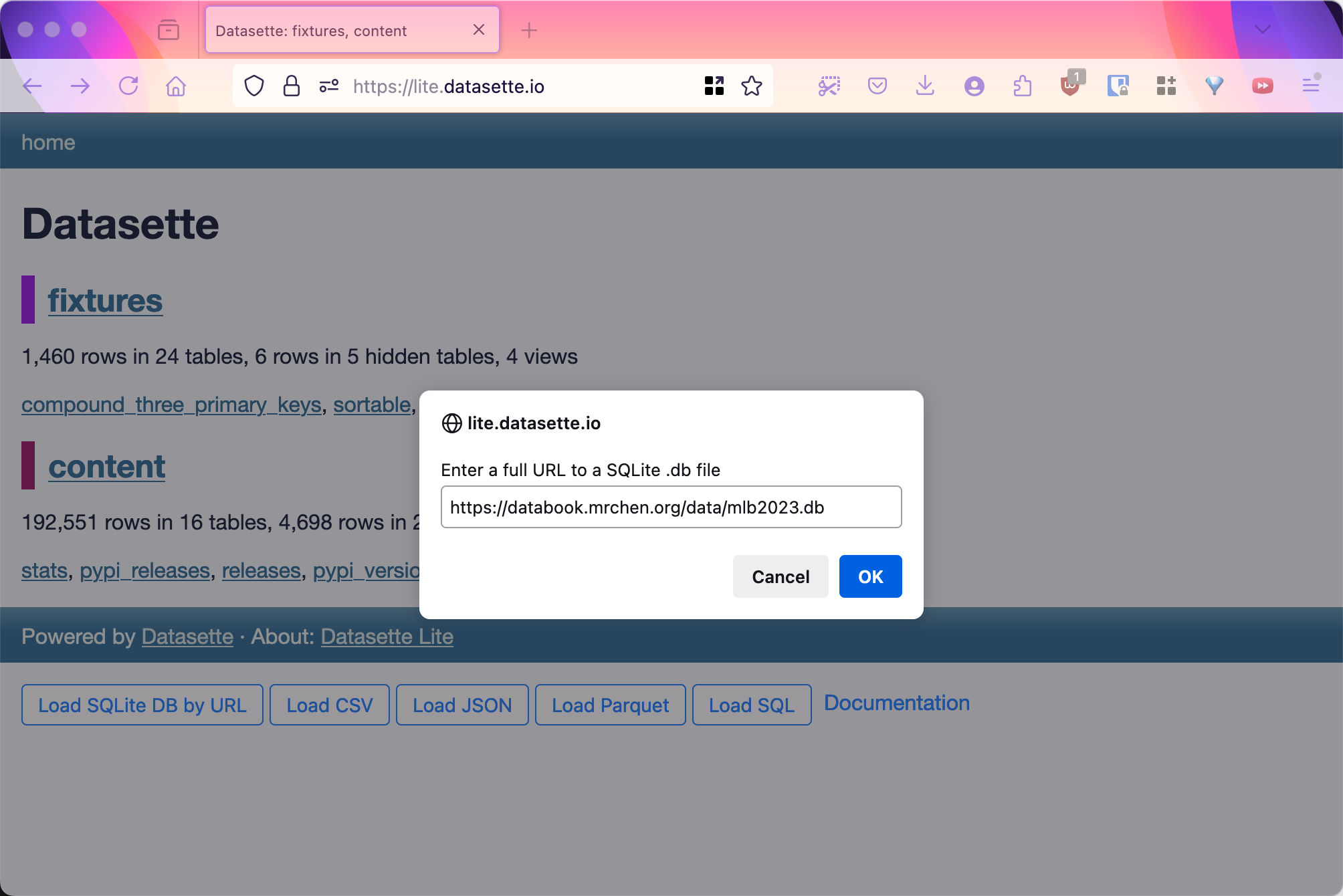
Alternatively, you can load databases directly from URLs. This tool provides most of Datasette’s core features, including SQL querying, data browsing, and basic visualisations, all without leaving your browser.
Keep in mind that while Datasette Lite is powerful and convenient, it processes data in your browser, so be cautious with large databases or sensitive information.
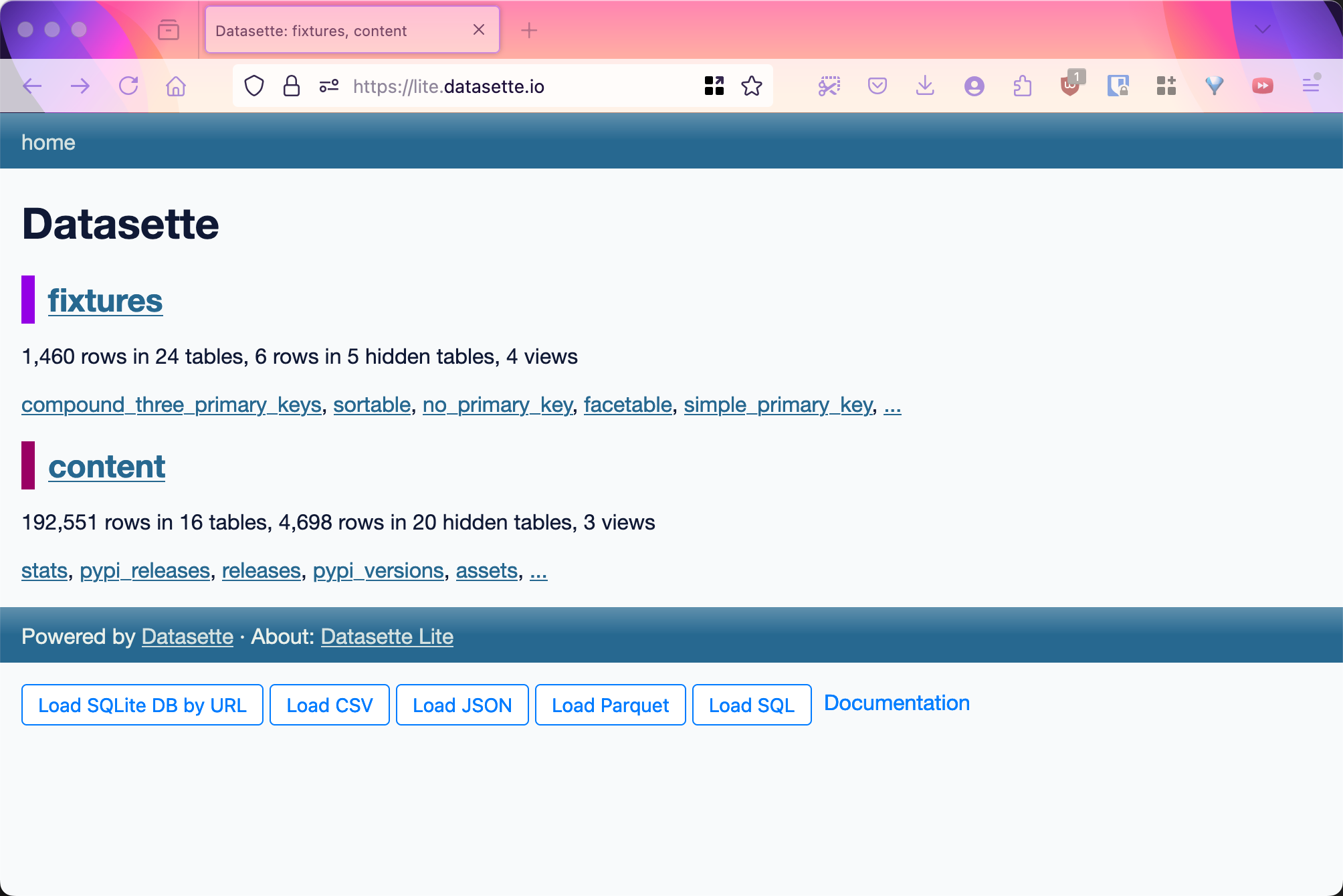
Load a sqlite database:
8.3 Explore MLB database with Datasette
Datasette provides flexible tools for exploring data tables. It’s always a good idea to spend some time getting familiar with the data in its raw, table format before considering more advanced analysis or visualisation techniques.
8.3.1 Get MLB Database
Download MLB database here and run it locally with datasette mlb2023.db.
If you can’t run it locally, access via Datasette lite for MLB Database
8.3.2 Datasette Web UI
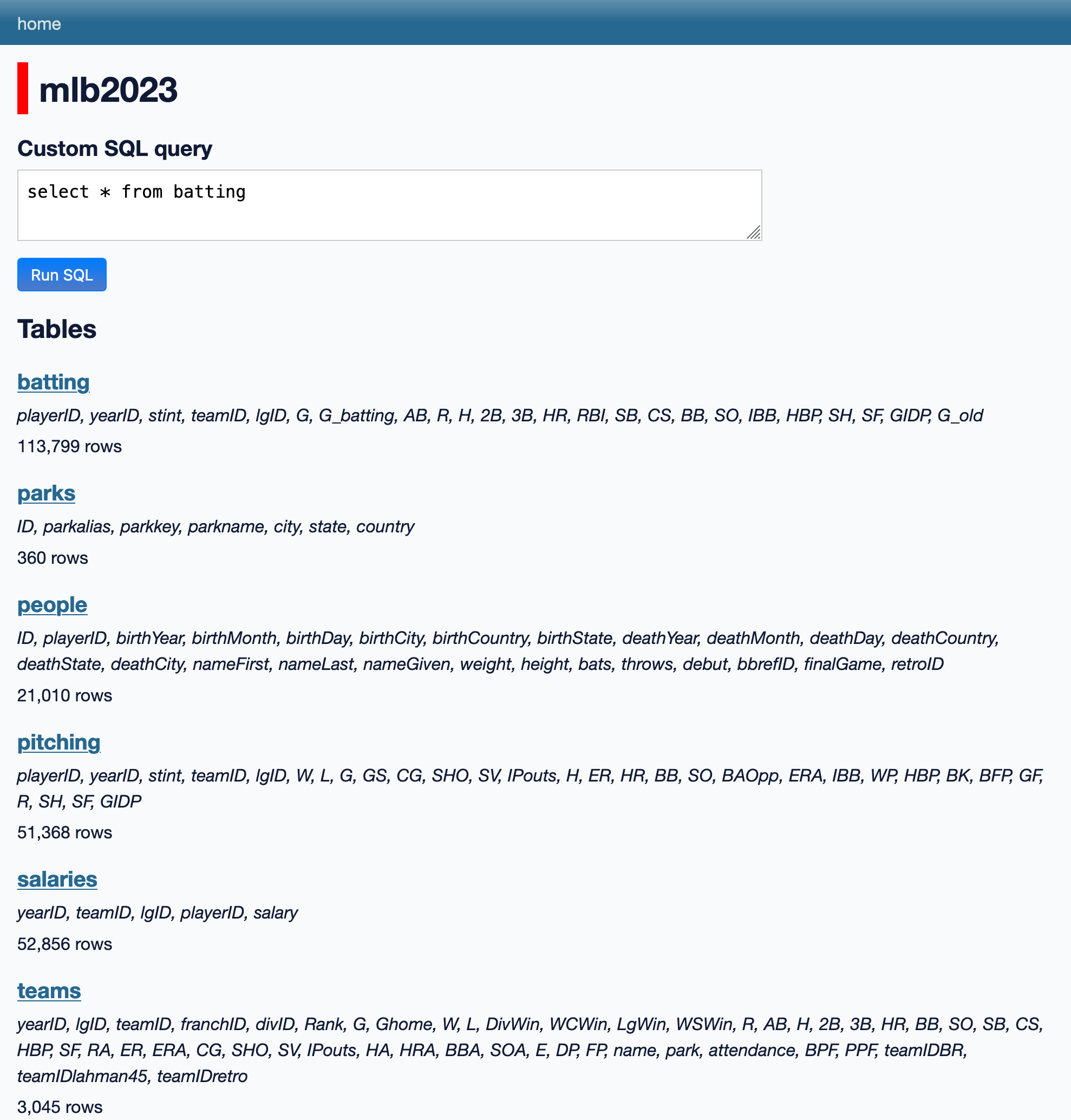
You will see the web UI of Datasette. Click mlb2023 to explore the database.
Datasette
mlb2023

242,438 rows in 6 tables

batting, salaries, pitching, people, teams, ...
8.3.3 Key Components of the UI
mlb2023: the databaseTables: six tables are listedFields: under the table name, all fields are listed. LikeplayerID, yearID, stint, teamID...
8.3.4 Understanding Tables in Databases
To get how databases like SQLite work, you need to think in tables. It’s not as hard as it sounds!
Imagine a super simple spreadsheet:
- It has columns and rows, just like the spreadsheets you’ve used before.
- Each row fills in information for every column.
- But here’s the difference: you can’t make cells pretty or merge them. It’s just a plain grid of data.
- Each row in a database table is called a
record, representing one collection of data items of different data types.
Every column in a database table has a type. A database table is like a no-frills spreadsheet that’s all about organising your data clearly and simply!
Every column in a database table has a type and can have constraints. In SQLite, these types are:
- Text: For words and sentences
- You can limit how long the text can be, like “max 50 characters”
- Integer: For whole numbers
- You can set a range, like “between 0 and 100”
- Real: For decimal numbers
- You can set limits, like “no more than two decimal places”
- Blob: For storing things like images
- You can limit the size, like “no larger than 1 MB”
Constraints help keep your data clean and consistent. They’re like rules that say what kind of information can go into each column. For example, you might say that a person’s age must be a positive number, or that a name can’t be longer than 100 letters. These rules help prevent mistakes and make sure your data makes sense.
8.3.5 SQL Language
We can also express this in the SQL langauge.
CREATE TABLE students (
    id INTEGER PRIMARY KEY,
    name TEXT NOT NULL CHECK(length(name) <= 50),
    age INTEGER CHECK(age >= 5 AND age <= 18),
    grade_average REAL CHECK(grade_average >= 0 AND grade_average <= 100),
    profile_picture BLOB CHECK(length(profile_picture) <= 1048576),
    is_active INTEGER CHECK(is_active IN (0,1))
);
8.3.6 Browsing tables
The tables in our MLB database are:
batting - 113,799 rows: players’ detailed batting records
parks - 360 rows: ballpark informaton
people - 21,010 rows: people involved in MLB
pitching - 51,368 rows: players’ detailed pitching records
salaries - 52,856 rows: salary information
teams - 3,045 rows: team related information
Follow these links now and explore the tables to get a feel for the way the data is organised in this database.
8.3.7 Tables can relate to each other
Sometimes you’ll see a row in a table that links to another table, for example the playerID column in the batting and pitching tables:
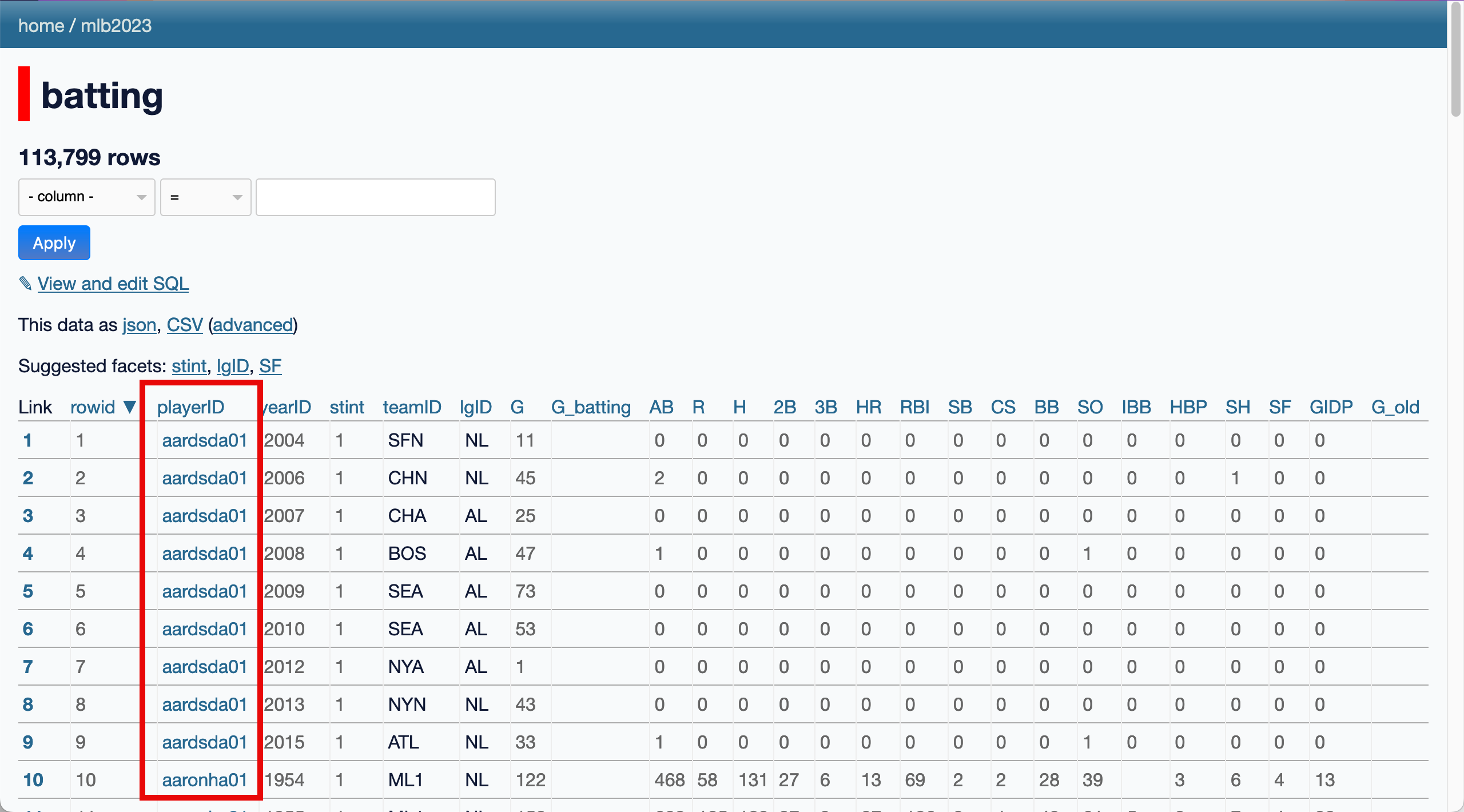
Clicking one of the linked names in that column will take you to a page for that individual player row that looks like this:
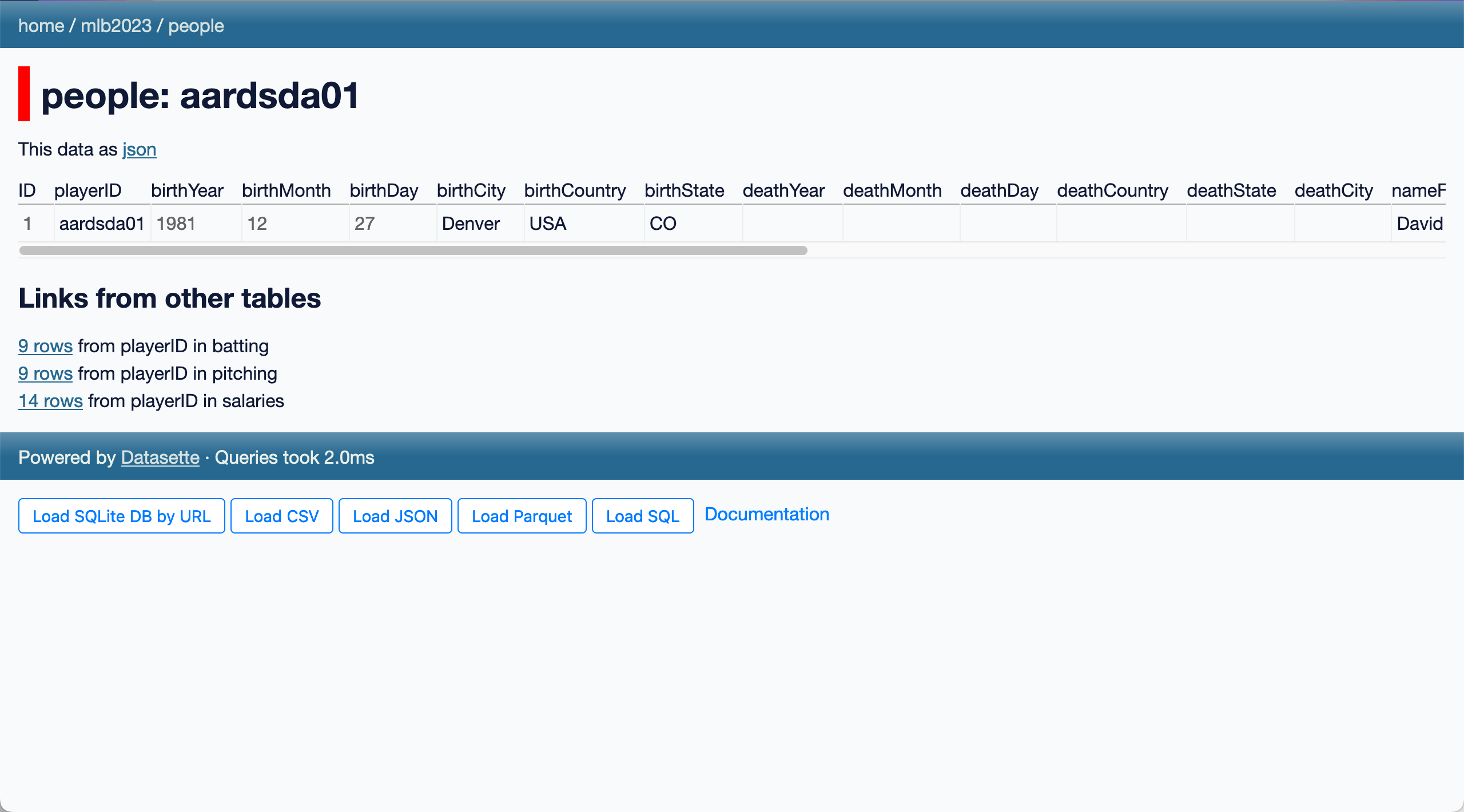
The “Links from other tables” section shows how many rows in other tables refer back to this player.
In a database these are called “foreign keys” - they work by storing the ID of a row from another table in a dedicated foreign key column.
Here’s a revised, simplified explanation of foreign keys for high school students:
8.3.8 Understanding Foreign Keys in Databases
Imagine you have two connected pieces of information in different tables. How do you link them? That’s where foreign keys come in!
A foreign key is like a special tag in one table that points to a specific row in another table. It’s usually the ID number of that row.
Here’s why foreign keys are cool:
- They help connect related information across different tables.
- They keep your data organised and avoid repeating the same info over and over.
- They make sure that when you refer to something in another table, it actually exists.
For example, if you have a player table and a salaries table, you might use a foreign key in the salaries table to show which player each salary belongs to. This is much smarter than trying to cram additional information like player name, address, etc. into one big table!
This ability to connect tables is what makes databases so powerful. It’s like giving your data superpowers compared to simple lists in separate files!
8.3.9 Using facets
Facets are one of the most useful Datasette features. They can help you take a table with thousands of rows and start quickly identifying interesting trends and patterns within that data.
I’ll show some examples using the batting table.
Facets can be applied in two ways: you can select an option from the “suggested facets” list, or you can select the “Facet by this” option from the cog menu next to each column.
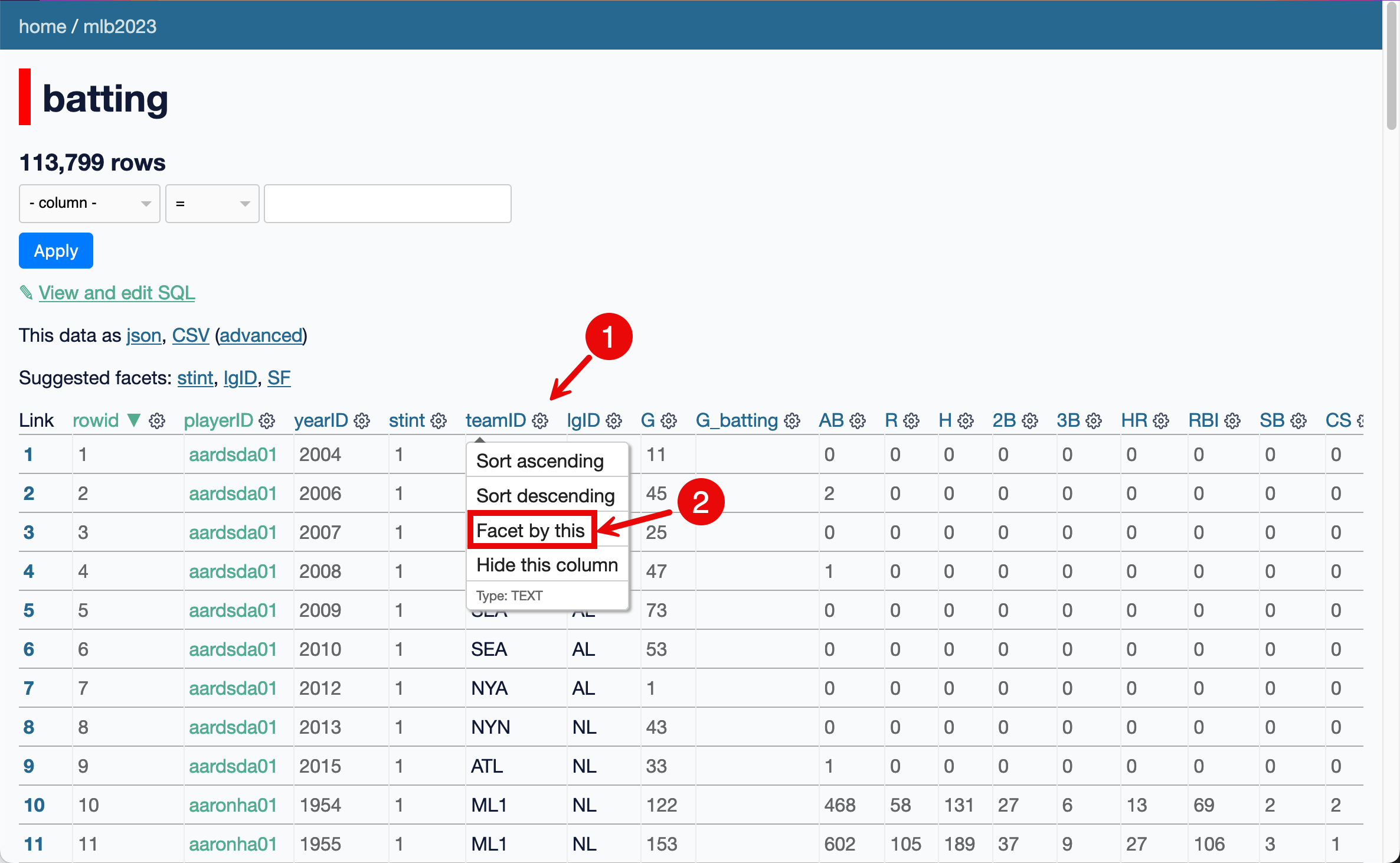
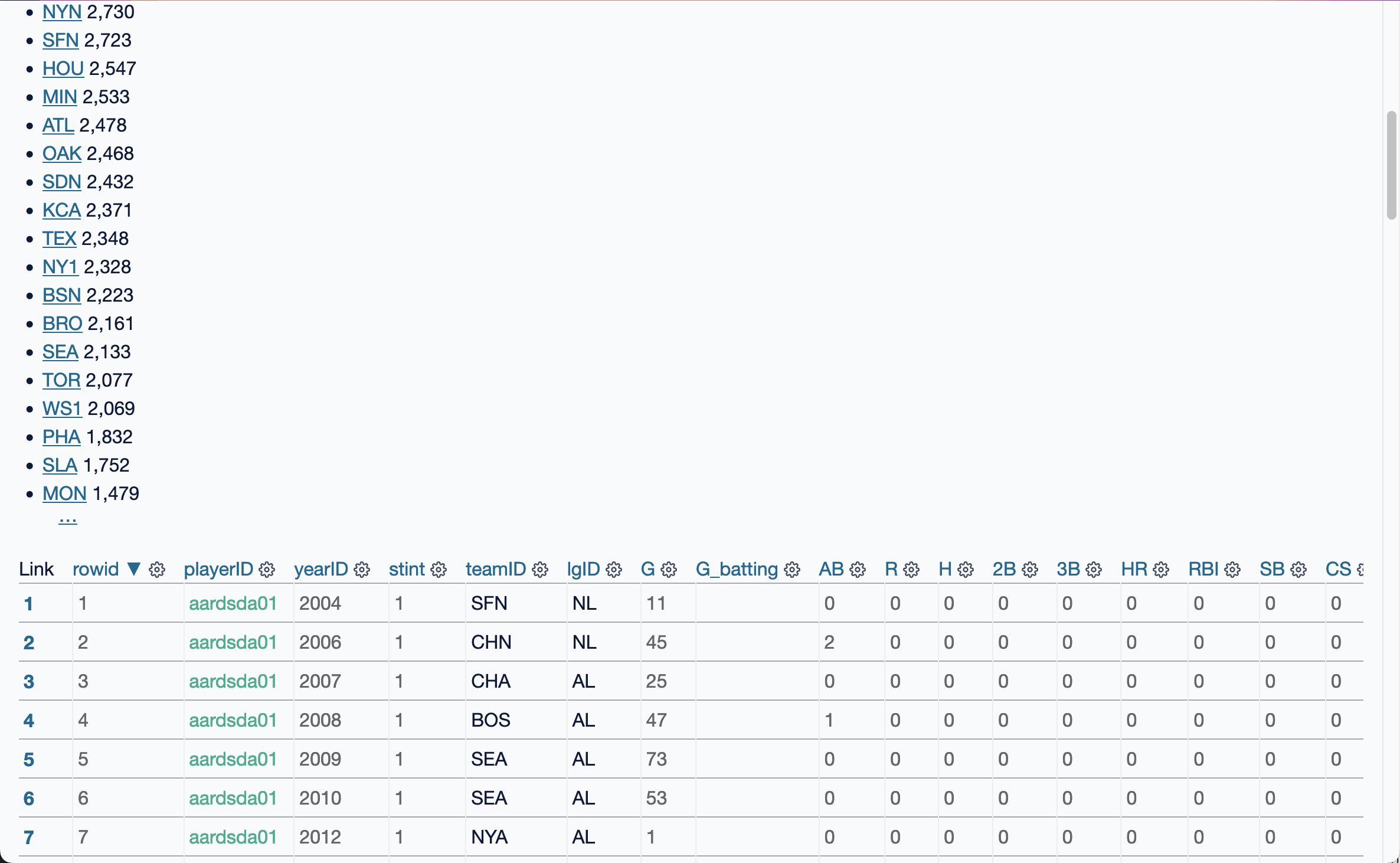
Here we select teamID and 30 teams appear. The facet interface is shown above the table, like in this example:
Here we select four facets.
Each facet shows a list of the most common values for that column, with a total count number for each of those values.
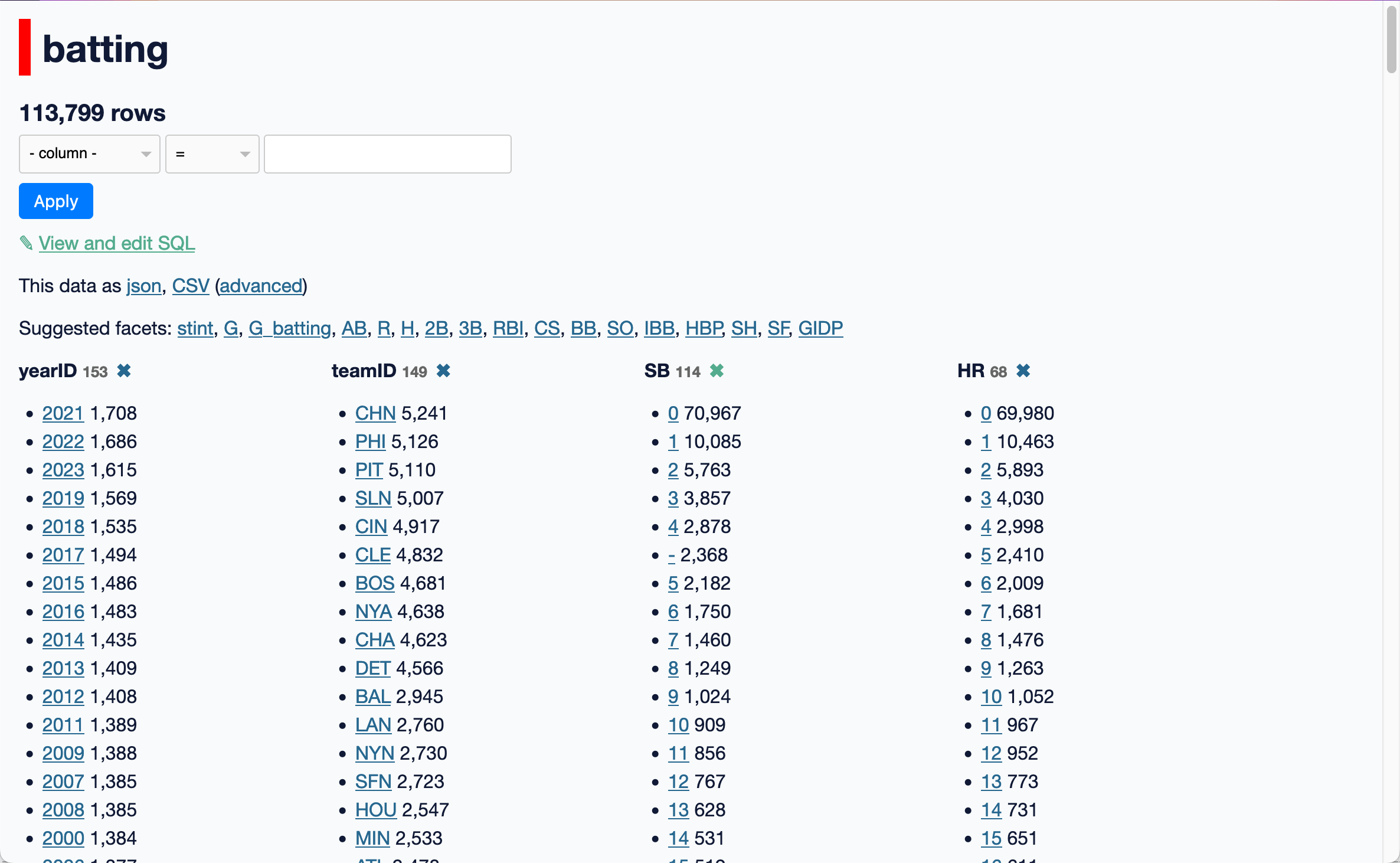
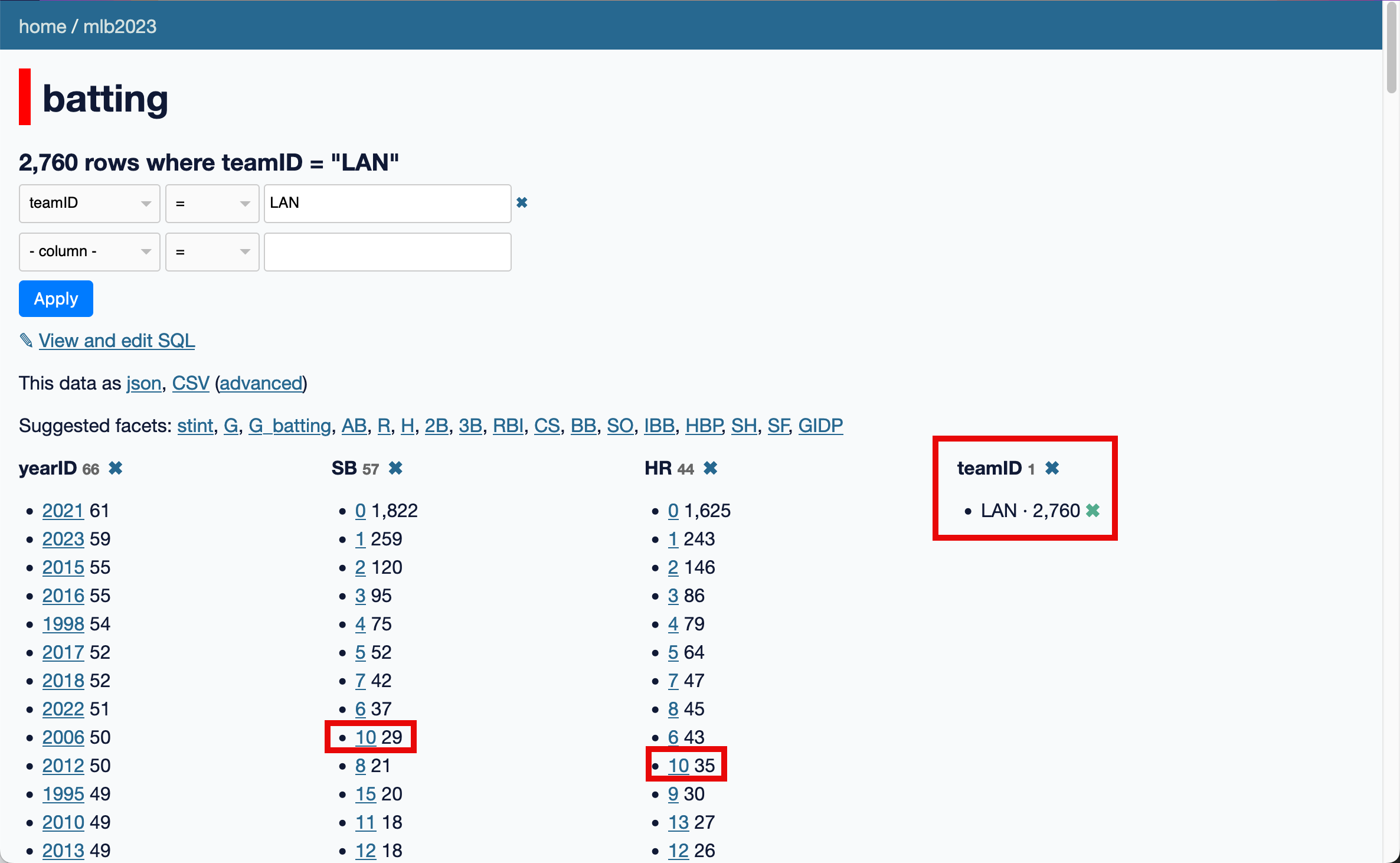
These numbers will update as you further filter the data: if you select LAN (Los Angeles Dodgers), you will see only the rows that match that team, and the SB (Stolen Bases) and HR (Home Runs) facets will update to show that there have been 29 players who have stolen 10 bases and 35 players who have hit 10 home runs for that team.
- Apply the
G(games) andteamIDfacets to the batting table. - Select
LANas the teamID. - Find how many players have played more than 160 games for this team.
8.3.10 Using filters
When you select a facet, you’re applying a filter to the data. These are reflected in the boxes at the top of the page:
You don’t have to use faceting for these - you can edit them directly.
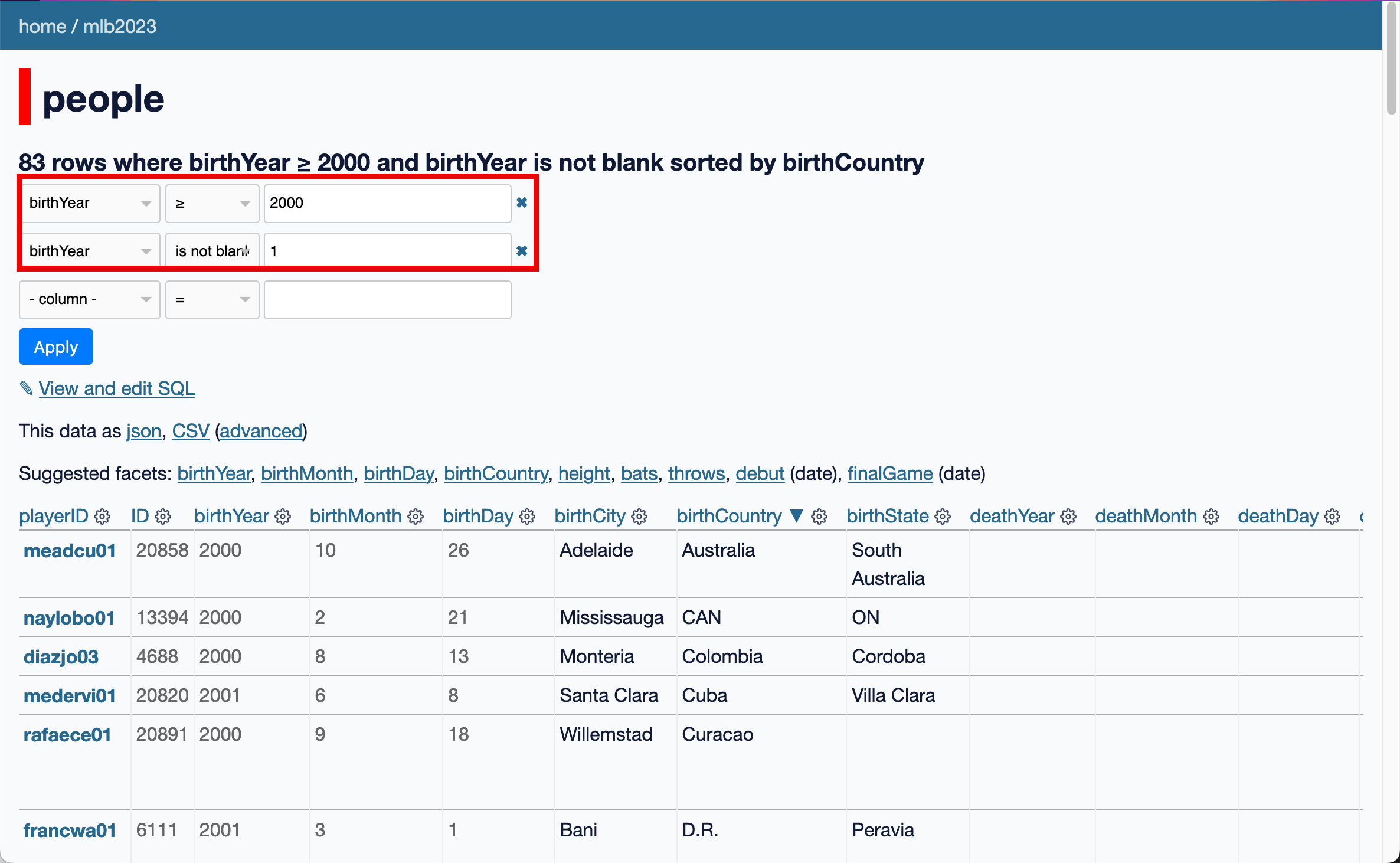
To see players born after 2000, we can add a filter for rows where the birthYear >= 2000 and birthYear is not blank. We find 83 players.
- Use the
peopletable. - Find how many players were from Australia in 2023.
- Use the
playIDand find his full name. - Google his name and write down anything interesting.
8.4 Credit
- Exploring a Database with Datasette. https://datasette.io/tutorials/explore. Accessed 4 Oct. 2024.